On call, without the laptop
The ops queue in your pocket — every error, alert breach and user report arrives as a push, and you can read the stack trace, argue priority in the thread, and hand the item to an agent before you reach a desk
Included with Business and Enterprise — Free and Pro use the web dashboard
Take the tour- Business and Enterprise plans
- iPhone first, Android to follow
- Real-time push
- Same queue as the dashboard
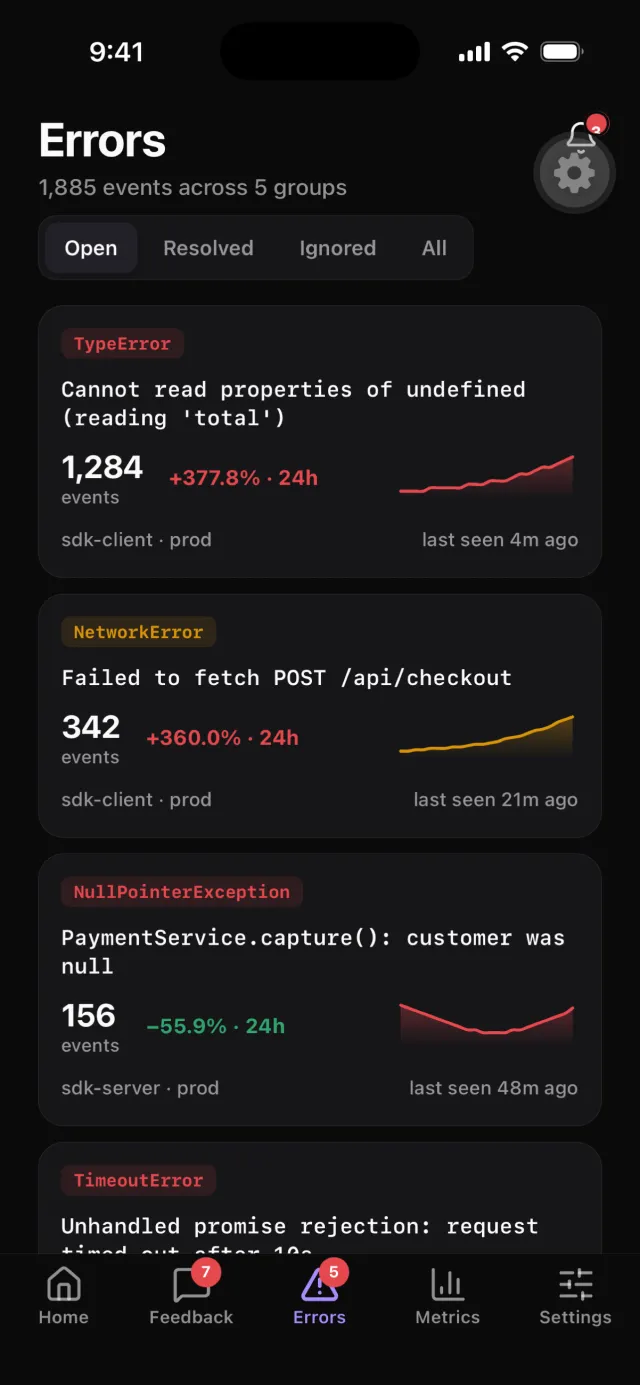
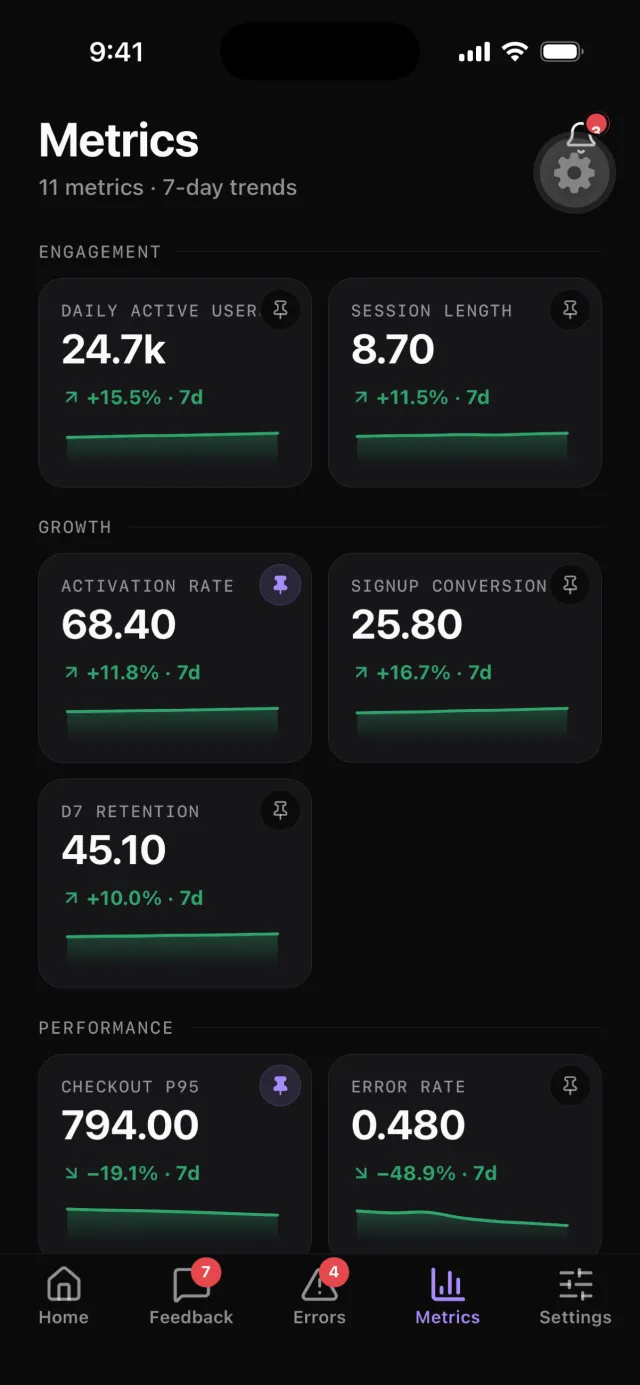
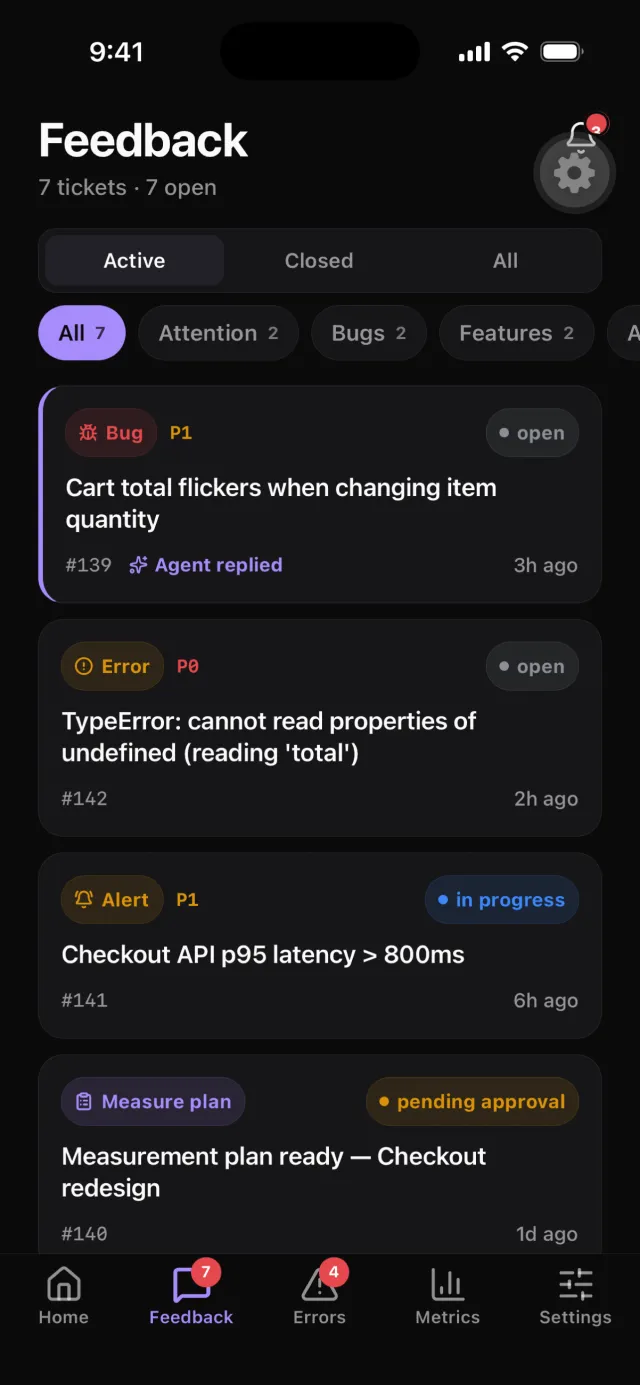
Five tabs, the whole cockpit
Real screens from the app — pick a tab, or let it run
What needs you, then what you're watching
- Needs attention ranks the queue by what's actually moving — an agent reply waiting on review, an error spiking, an alert still firing
- Every card carries its own signal: occurrence and route counts on errors, a live sparkline on the trend that raised it
- Below it, only what you pinned — a metric tile, a flag or a kill switch with its live state
shipeasy:///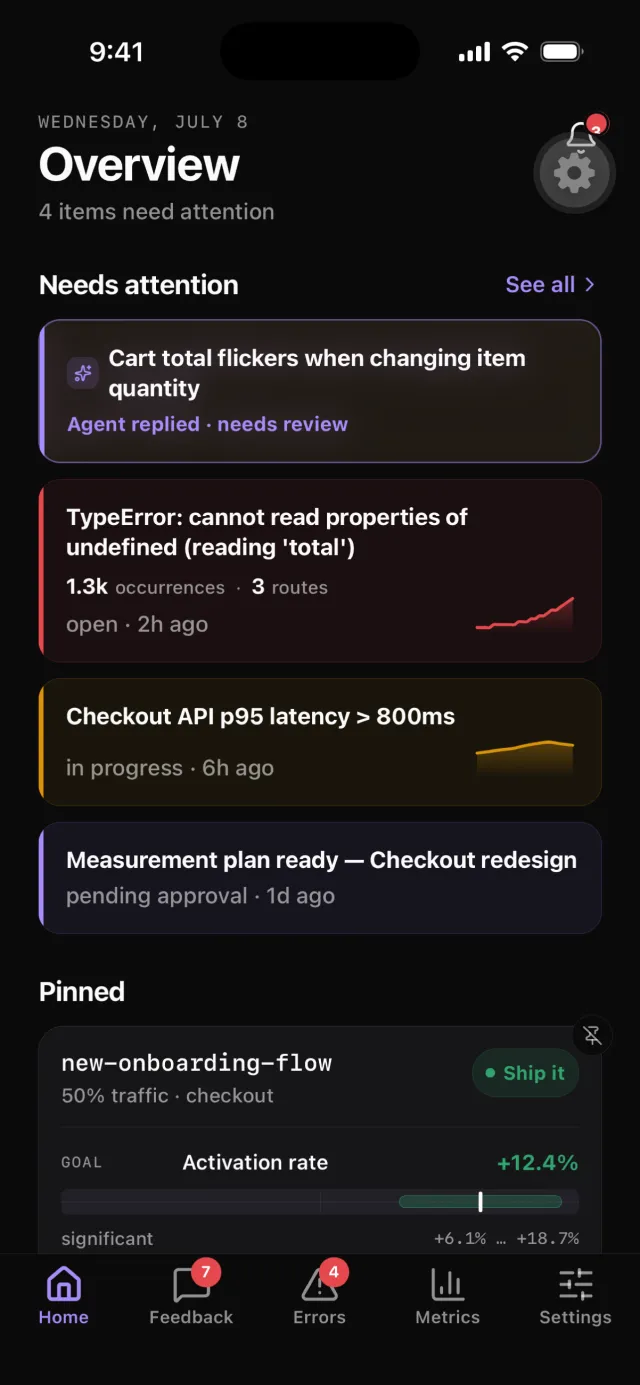
The 22:00 page, with the evidence already attached
Alerts, error spikes, agent replies and release changes reach the phone the moment they happen — the same events the dashboard and Slack get, on the device that's actually in the room
- The push carries the evidence
- Not a bare “something happened” — the occurrence count, the routes affected, the threshold that broke
- Tap lands on the item, not the app
- Every notification deep-links straight to the ticket, error group or metric it's about
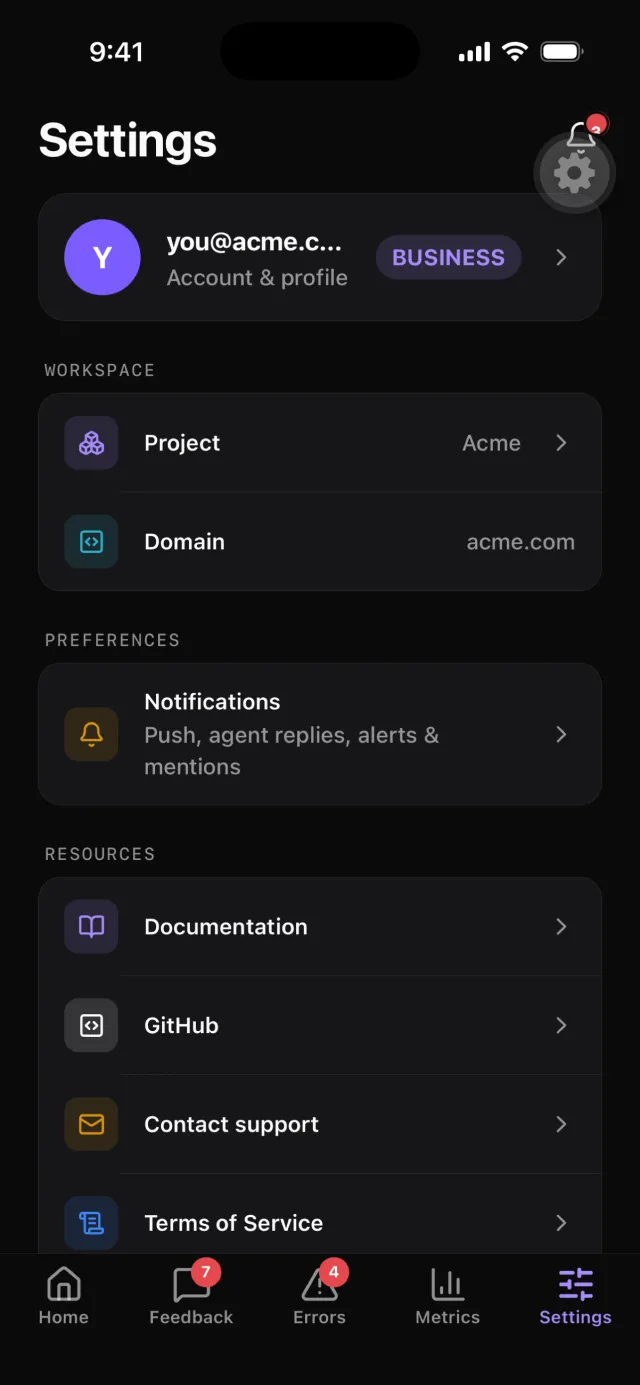
- Switches for what's allowed to wake you
- Agent, mentions, alerts, errors and releases each toggle on their own, over a master off
- The feed keeps the ones you missed
- A read/unread notification feed with mark-all, so a phone that was face-down doesn't lose the night
Hand the item to an agent from a bus stop
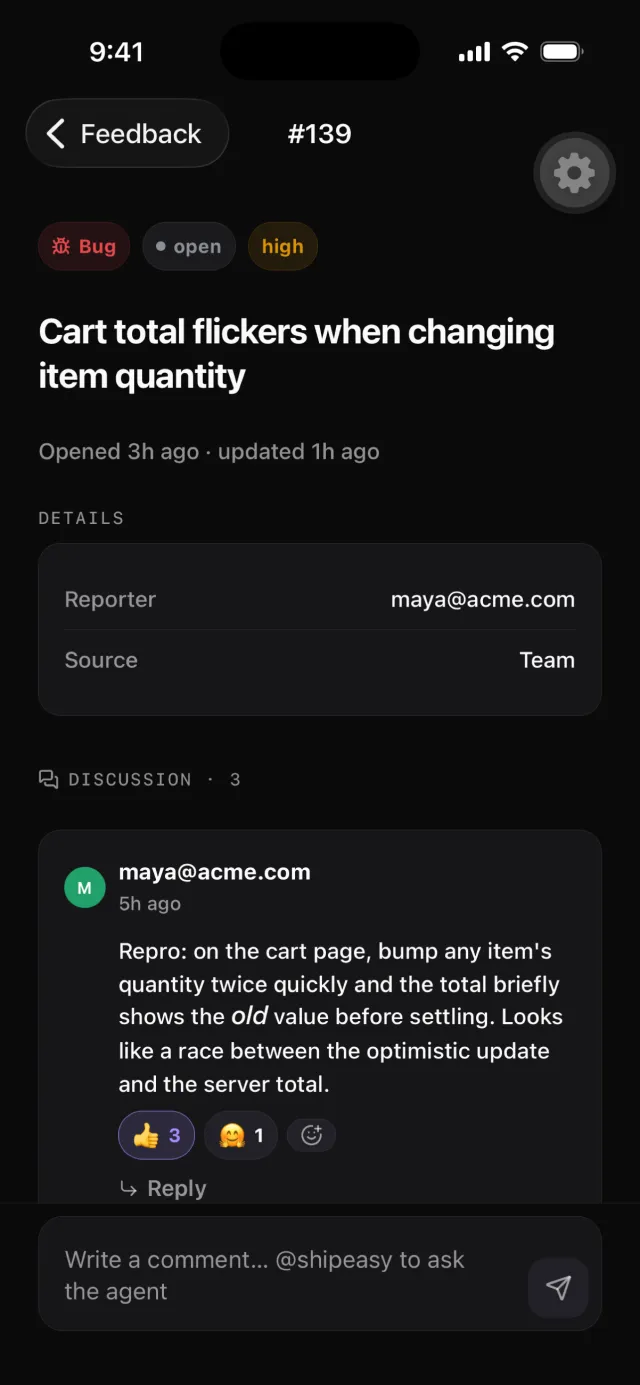
The issue screen is where the app stops being read-only — the full report, its attachments and the live thread, with every move the dashboard has sitting behind the header menu
- Hand to an agentPick any connected agent and it picks the item up. It's the one action that spends money and touches the repo, so it asks first — every time
- Move it down the boardStart work, Ready for QA, Resolve, Won't fix — the same states as the web queue, each with an undo on the toast
- Argue it in the threadReply, react, and @mention from the composer. Agent replies land in the same thread, so review happens where the evidence is
Root-cause it before you reach a laptop
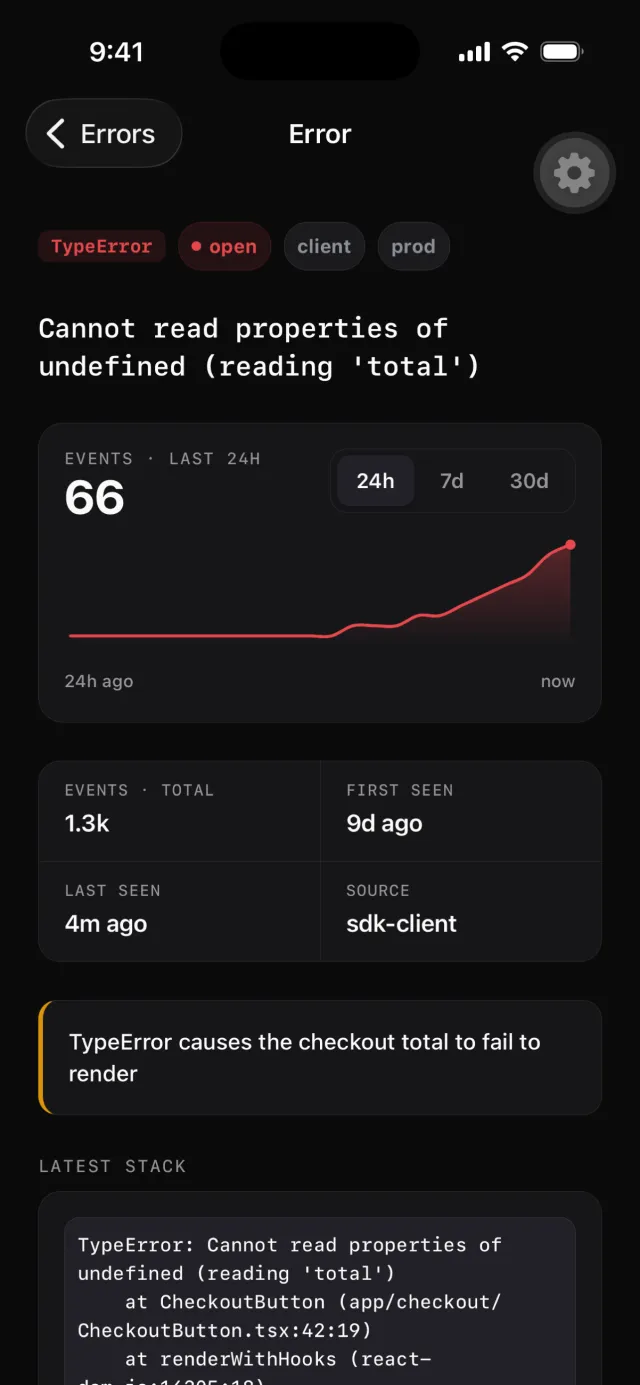
A tracked error opens on the shape of the incident — how often, since when, and the code path that threw — so you can tell a spike from a blip while the notification is still on screen
- Occurrences over 24h, 7d or 30dThe same fold-by-fingerprint the dashboard uses, so one broken deploy is one chart, not fifteen hundred rows
- The consequence, not just the messageWhere the call site was instrumented with
see(), the headline IS the consequence sentence — what the failure cost, in English - Stack, SDK, environment, extrasThe latest stack trace, which SDK and release reported it, first and last seen, and whatever extras your handler attached
The number that woke you, and the rules watching it
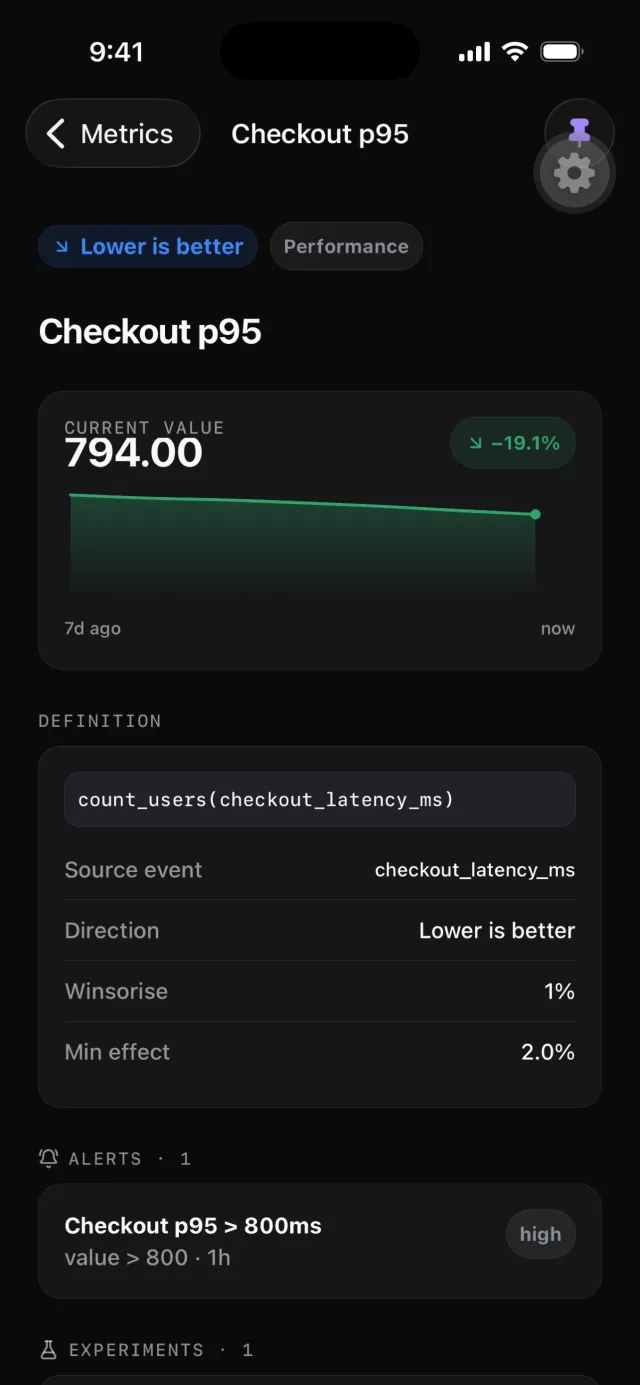
Every metric you defined opens with its own chart, its definition, and everything wired to it — so a threshold you set months ago is one tap from the alert that just fired
- Trend, definition, and the DSL behind itThe chart on top, then exactly how the metric is computed — no guessing which of four dashboards defined it
- Connected alertsThe alert rules watching this metric, each linked, with the daily series drawn underneath
- Pin it and it follows youPins are project-scoped and shared with your team, so pinning from the phone puts it on the Home tab for everyone watching
A phone app that does the work
Not a read-only mirror of the dashboard — the actions that change something are here too
Push that respects the hour
A master switch over per-category switches — agent replies, mentions, alerts, errors and releases
Threads with reactions
Reply, react and @mention on any item — rendered as markdown, exactly as the web renders it
Triage with an undo
Every status move posts optimistically and offers an undo on the toast before it settles
Agent hand-off, gated
Hand an item to a connected agent from the phone, behind an explicit confirm — it costs money and touches the repo
A shared watch-list
Pin metrics, flags and kill switches; pins are project-scoped, so the team sees the same board
Alerts with their rule attached
A firing alert opens next to the metric it watches, the threshold it crossed and the trend leading up to it
Deep links everywhere
Every notification, and every shipeasy:// link, opens the exact item rather than dropping you on Home
Sign in the way you already do
Apple, Google, GitHub or the CLI's device-auth flow — the session lives in the device keychain, never in plain storage
Leave from inside the app
Account deletion is in Settings, on both planes — no support ticket, no dark pattern
Built the way you would have built it
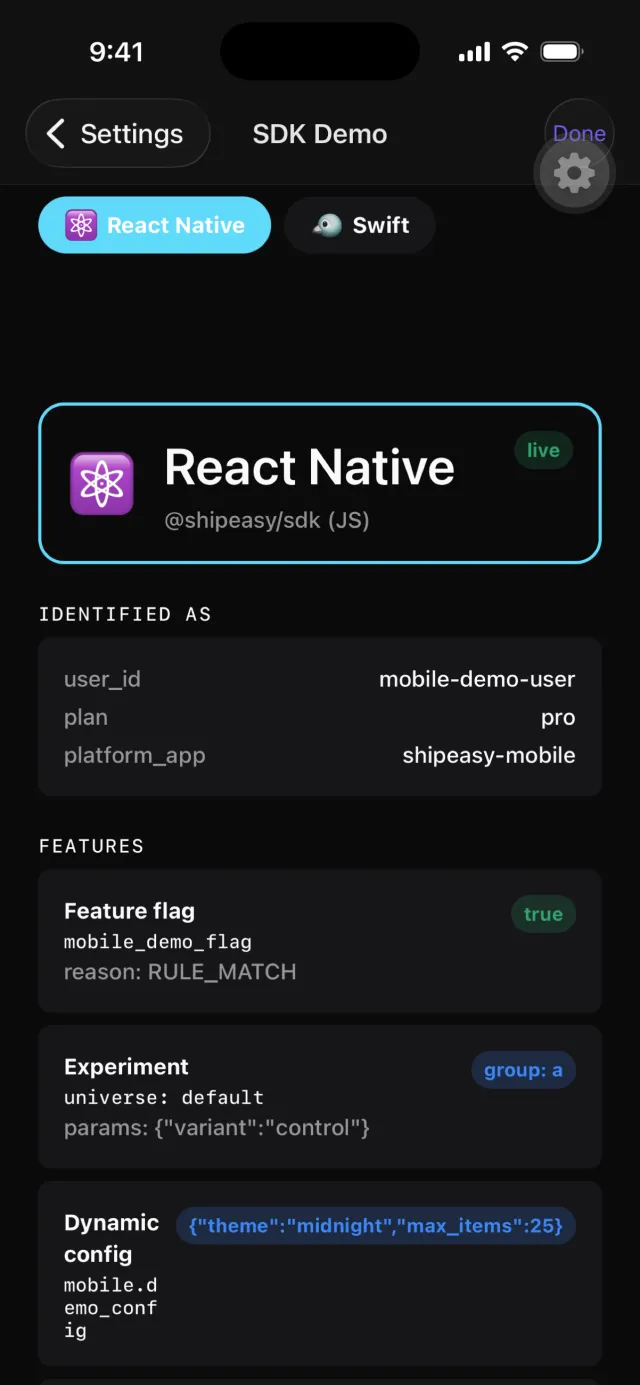
It ships a live SDK demo screen because it uses the SDKs it demonstrates — the same flag, read side by side through the React Native client and the native Swift client, against your project
- Runtime
- Expo SDK 57 · React Native 0.86 · New Architecture, iOS and Android
- Navigation
- expo-router with typed routes, and a shipeasy:// deep link for every screen
- Theme
- Dark only, by design — the same token ramp and violet accent as the dashboard
- Data
- The same admin API the web app calls, through a generated OpenAPI client — there is no separate mobile backend
- Native bridges
- The Swift, Kotlin and Java SDKs are vendored as local native modules, not re-implemented in JS
- Session
- Sign in with Apple, Google or GitHub, or the CLI's device-auth flow; the key is held in the device keychain
- Push
- Expo push tokens (APNs and FCM) registered with the edge worker — one per device, revocable from Settings
- Distribution
- iOS first, then Android — one codebase, one release train
Put the queue in your pocket
Part of Business and Enterprise — sign in with the account you already have and your project is right there, queue and all
The mobile app is not part of the Free or Pro plans. No account yet? Start free on the web and upgrade when you want the phone — or compare the plans